After dealing with a 15GB Traefik log file that quietly filled my server to 95% capacity last week, I had a thought: if I had a dashboard I could just glance at, I would have caught the storage spike days before it became an emergency.
Usually, checking the server means opening my laptop and typing the URL for Homarr, but I wanted something ambient. Passive. On all the time.
Sane people would solve this with a Raspberry Pi taped to the back of a monitor. I don’t have that luxury. I have exactly one machine: the server itself. Attached to it is a monitor that spends 99% of its life frozen on the Proxmox boot log, doing absolutely nothing.
At first, I thought about using a VM with GPU passthrough. But passing through the GPU means completely removing it from the host, and my Jellyfin LXC relies on that same iGPU to transcode. Single-iGPU passthrough on an 8th-gen Intel is a famously miserable time anyway.
Then it clicked: LXCs share the host’s kernel. The host already drives the monitor. The container doesn’t need to steal the GPU, it just needs permission to talk to it.
Since I’m learning OpenTofu and Ansible, this became the test bench for both. The plan was one unprivileged LXC running cage (a Wayland compositor whose whole personality is to run exactly one app fullscreen forever) and Chromium pointed at my dashboard.
Layer 1: OpenTofu
Here is the container config I used with the bpg/proxmox provider:
resource "proxmox_virtual_environment_container" "kiosk" {
  node_name     = "pve"
  unprivileged  = true
  start_on_boot = true

  operating_system {
    template_file_id = proxmox_virtual_environment_download_file.debian13_lxc.id
    type             = "debian"
  }

  cpu    { cores = 2 }
  memory { dedicated = 1024, swap = 512 }

  disk {
    datastore_id = "vm-storage-thin"
    size         = 8
  }

  network_interface {
    name   = "eth0"
    bridge = "vmbr0"
  }

  initialization {
    hostname = "kiosk"
    ip_config { ipv4 { address = "dhcp" } }
    user_account {
      keys     = [trimspace(file("~/.ssh/id_ed25519.pub"))]
      password = var.root_password
    }
  }

  features {
    nesting = true   # systemd 257 in Debian 13 wants this. Without it: gremlins.
  }

  # The interesting part: the GPU, shared with the host (and with Jellyfin)
  device_passthrough {
    path = "/dev/dri/card1"       # my iGPU's display node. Check yours.
    gid  = 44                     # 'video' group INSIDE the container
  }
  device_passthrough {
    path = "/dev/dri/renderD128"
    gid  = 992                    # 'render' group INSIDE the container. Remember this number.
  }
}
Two things happened before the container even booted.
First, Proxmox threw a 403 Forbidden error at my scoped API token. It turns out Proxmox will not let any API token pass devices into a container; you have to use the actual root@pam password. A device passthrough is a hole drilled through the container’s isolation, so Proxmox wants an actual human root holding the drill. In a corporate environment, that’s a security finding. In a one-admin homelab, it’s a shrug.
Second: look at those gid numbers. I’ll get back to them, because they caused the biggest headache later.
Layer 2: Ansible
This was my first Ansible playbook ever. I expected it to be bureaucracy, but what I got was the opposite. When something broke, the loop was: edit the file, run the playbook, watch. I never had that 1 AM debugging question of “wait, did I already change this config?” The playbook is the record. What’s in the file happened; what’s not in the file didn’t.
Here is the final form:
---
- name: Configure kiosk display
  hosts: kiosk
  tasks:

    - name: Kiosk packages are installed
      ansible.builtin.apt:
        name:
          - cage
          - chromium
          - curl
        state: present
        update_cache: true

    - name: Kiosk user exists with device access
      ansible.builtin.user:
        name: kiosk
        groups: "video,render,input"
        append: true
        create_home: true

    - name: Fake-udev script for libinput in LXC
      ansible.builtin.copy:
        dest: /usr/local/bin/fake-udev-input
        mode: "0755"
        content: |
          #!/bin/sh
          mkdir -p /run/udev/data
          for dev in /dev/input/by-id/*event*; do
            [ -e "$dev" ] || continue
            maj=$((0x$(stat -c \%t "$dev")))
            min=$((0x$(stat -c \%T "$dev")))
            tgt="/dev/input/event$((min - 64))"
            if ! mountpoint -q "$tgt"; then
              rm -f "$tgt"
              touch "$tgt"
              mount --bind "$dev" "$tgt"
            fi
            {
              echo "E:ID_INPUT=1"
              case "$dev" in
                *kbd*)   echo "E:ID_INPUT_KEYBOARD=1" ;;
                *mouse*) echo "E:ID_INPUT_MOUSE=1" ;;
              esac
            } > "/run/udev/data/c${maj}:${min}"
          done
      notify: Restart kiosk

    - name: Kiosk systemd unit is in place
      ansible.builtin.copy:
        dest: /etc/systemd/system/kiosk.service
        content: |
          [Unit]
          Description=Kiosk display
          After=network-online.target
          Wants=network-online.target

          [Service]
          User=kiosk
          Environment=LIBSEAT_BACKEND=noop
          Environment=WLR_LIBINPUT_NO_DEVICES=1
          Environment=XDG_RUNTIME_DIR=/run/kiosk
          RuntimeDirectory=kiosk
          RuntimeDirectoryMode=0700
          ExecStartPre=+/usr/local/bin/fake-udev-input
          ExecStartPre=/bin/sh -c 'until curl -skf -o /dev/null [https://homarr.example.com](https://homarr.example.com); do sleep 3; done'
          ExecStart=/usr/bin/cage -- /usr/bin/chromium --noerrdialogs --disable-session-crashed-bubble --disable-gpu-compositing [https://homarr.example.com](https://homarr.example.com)
          Restart=always
          RestartSec=5
          StandardOutput=journal
          StandardError=journal

          [Install]
          WantedBy=multi-user.target
      notify: Restart kiosk

    - name: Kiosk service is enabled and running
      ansible.builtin.systemd_service:
        name: kiosk
        enabled: true
        state: started
        daemon_reload: true

  handlers:
    - name: Restart kiosk
      ansible.builtin.systemd_service:
        name: kiosk
        state: restarted
Would it just work?
I proved the recipe in a throwaway VM first, watching through the Proxmox console. When I finally applied it to the real LXC, I started collecting errors.
XDG_RUNTIME_DIR
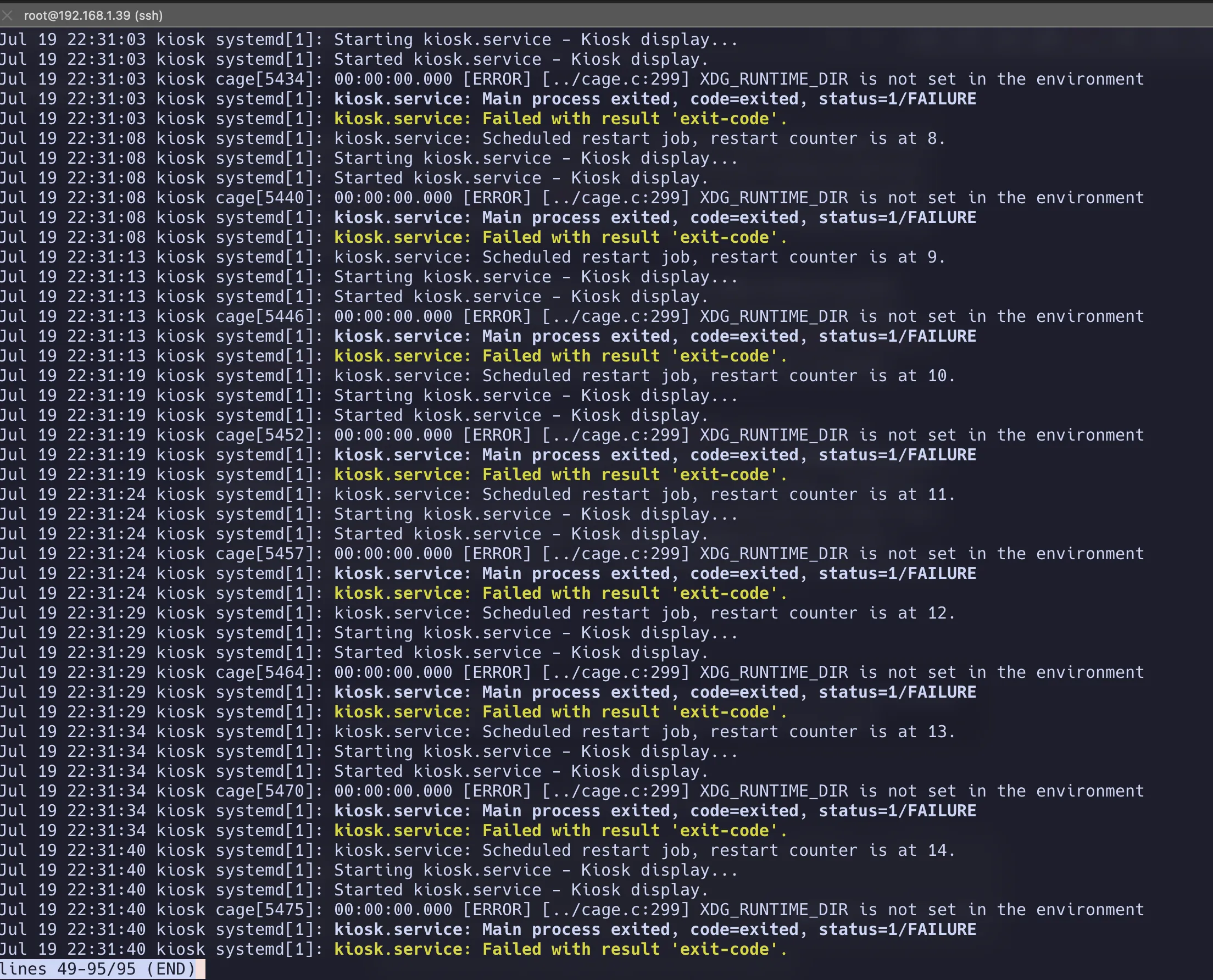
The first thing that happened is cage refused to start because XDG_RUNTIME_DIR wasn’t set. Wayland compositors demand a per-user runtime directory, and usually logind creates it the moment you log in. But a container has no logind. I had to force systemd to impersonate it:
Environment=XDG_RUNTIME_DIR=/run/kiosk
RuntimeDirectory=kiosk
RuntimeDirectoryMode=0700
RuntimeDirectory= makes systemd create the directory before every start. Three lines standing in for an entire daemon’s job.
The seatd Timeout
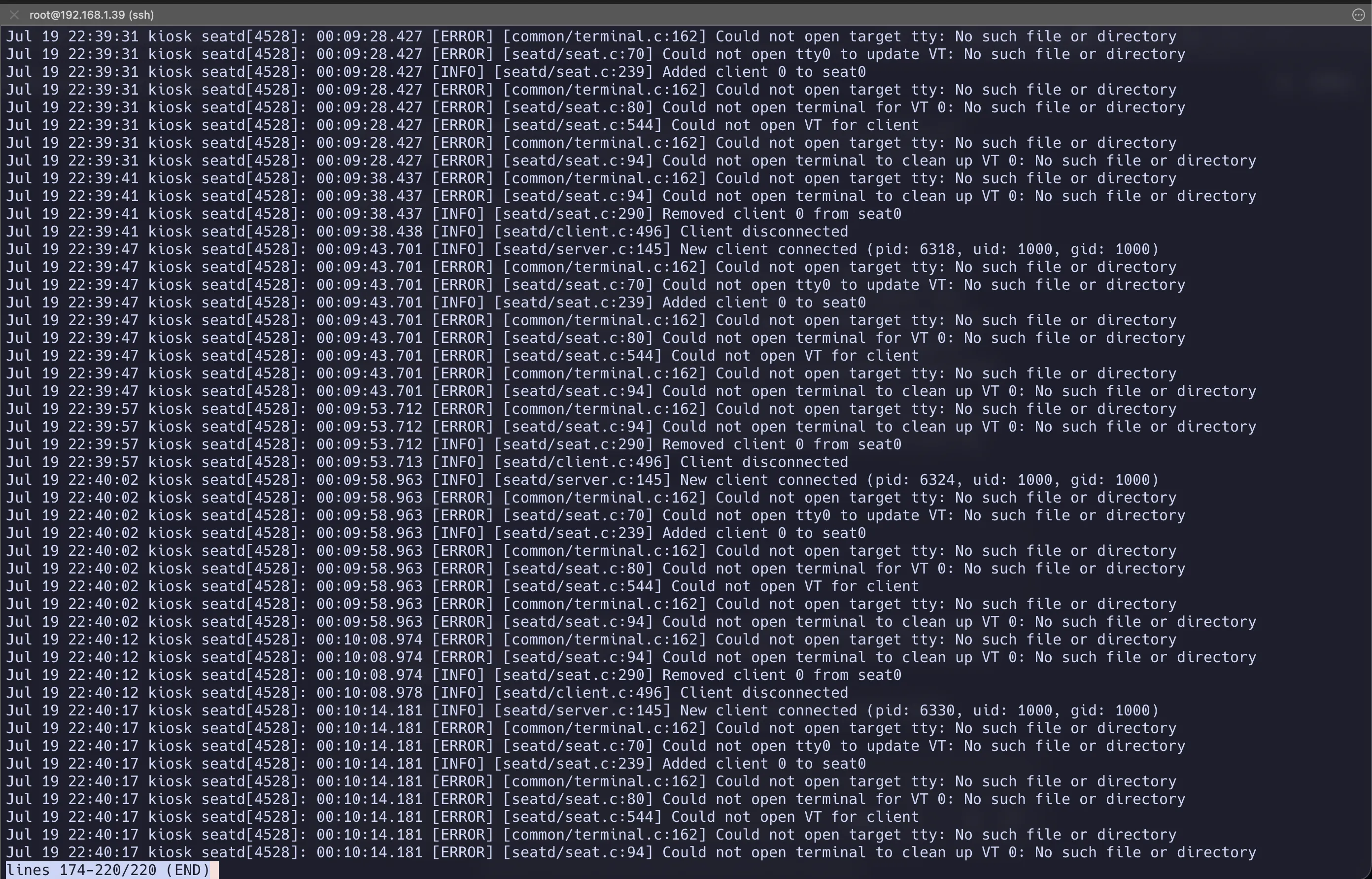
Next attempt. Cage started, ran for exactly ten seconds, and died. Punctual failures are almost always timeouts.
On Linux, a seat manager like seatd handles who gets the display and manages virtual terminal (VT) switching. But my container doesn’t have VTs. I passed through a GPU, not a console, so there was no need for arbitration. I added LIBSEAT_BACKEND=noop to tell it to skip the VT handshake entirely.
Environment=LIBSEAT_BACKEND=noopPermission Denied
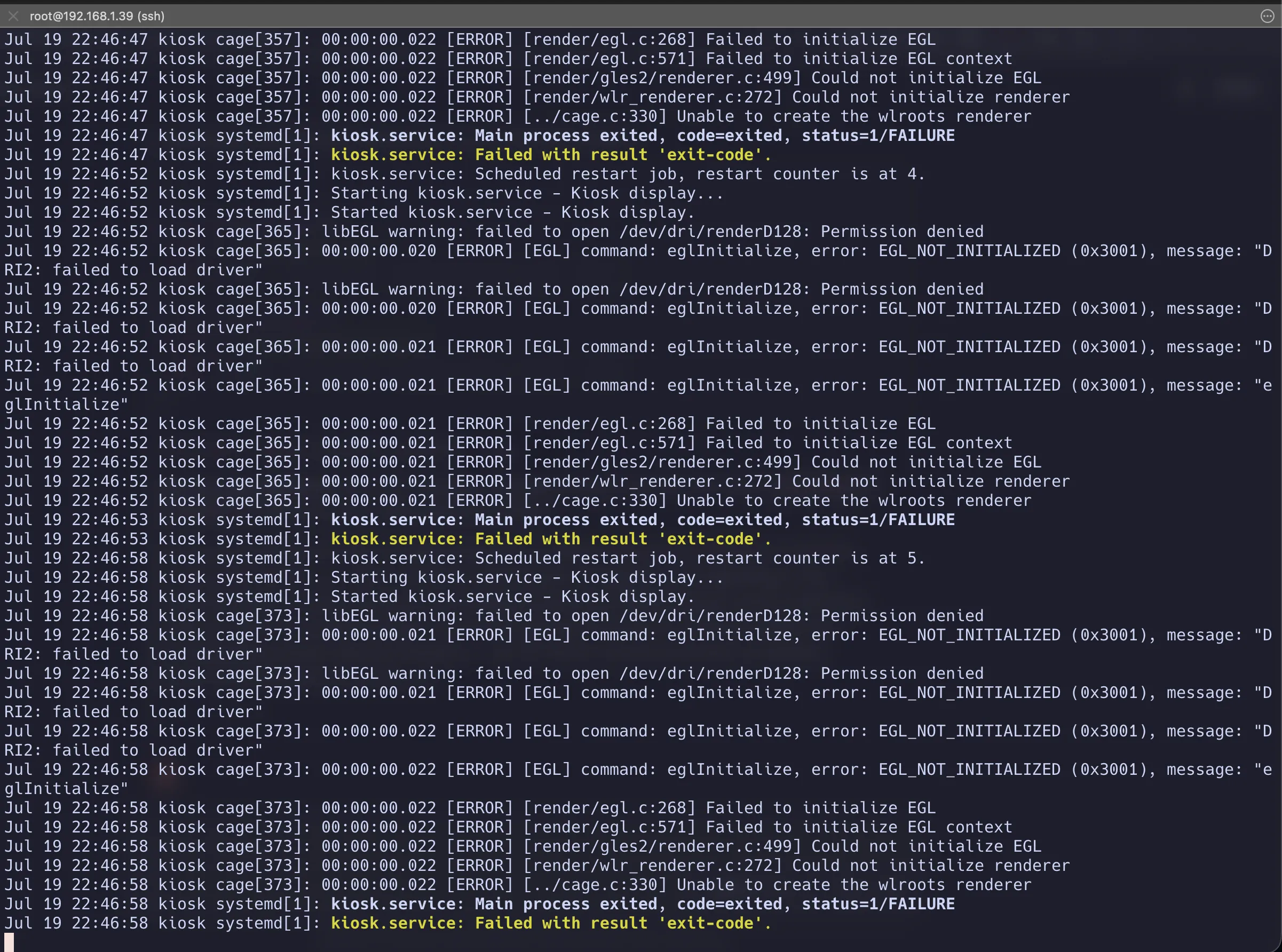
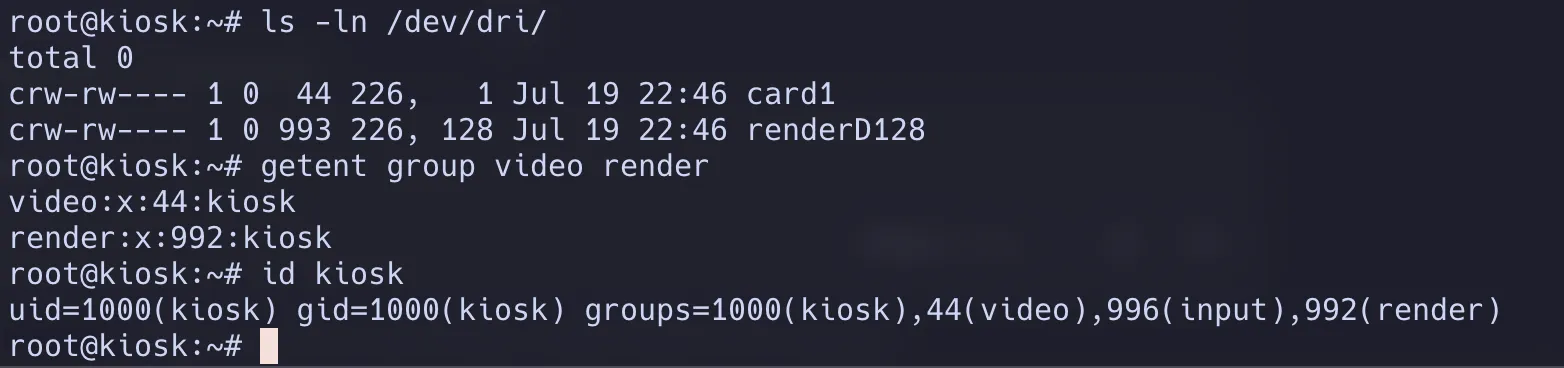
This was the main headache. I got a hard permission denied on the /dev/dri/renderD128 node. Remember that gid = 992 in my Tofu config? Initially, I had put 993, because that was the group ID for render on my Proxmox host.
The lesson here is that group names are just labels; the kernel only compares numbers. Debian allocates system groups dynamically depending on the order you install packages, so the hypervisor and the container had two completely different IDs for the same group. I fixed the digit and the monitor finally lit up.
The Mouse

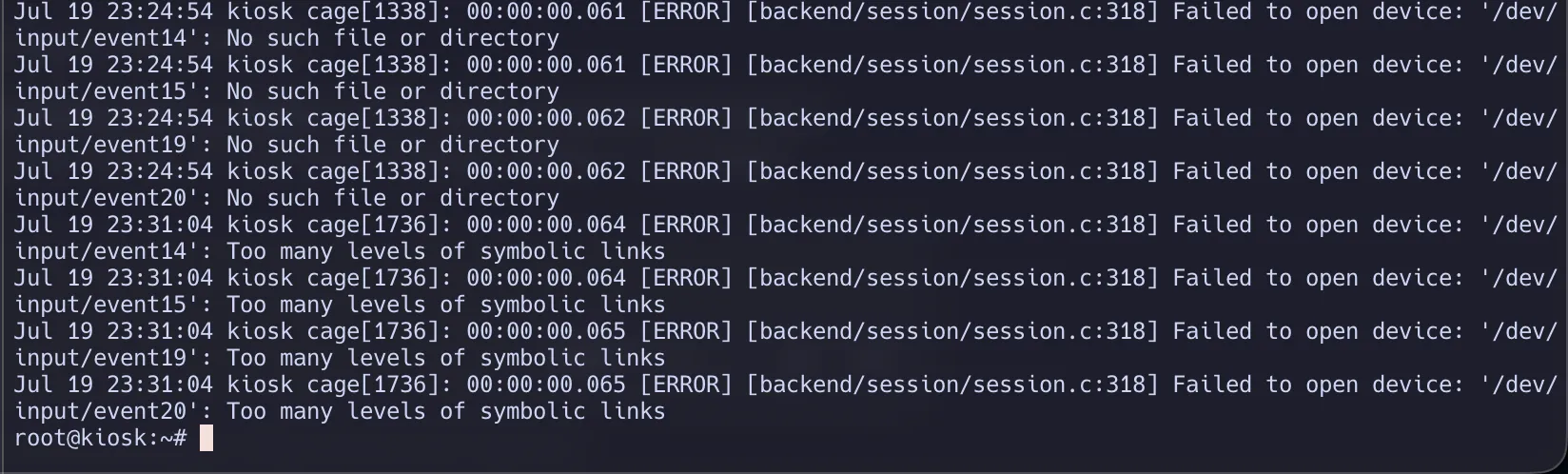
I wanted to use a mouse to interact with the dashboard. Passing USB devices through to an LXC meant I had to replace everything udev normally does for you:
- The container’s
udevdatabase was completely empty, so I had to write that 20-linefake-udev-inputshell script to manually generate the entries. - systemd ran my script as an unprivileged user, so it failed. I had to add a
+to the service file (ExecStartPre=+/usr/local/bin/fake-udev-input) to make just that one line run as root. libinputrefused to follow symlinks for security reasons, so I couldn’t just link the devices. I had to use kernel-level bind mounts to get the devices to show up at the canonical paths it expected.
One reboot later, the cursor moved.
Epilogue: The Hard Freeze
If you read my last post, you know exactly how this story ends.
The dashboard was running, and it looked great. But a few days later, my server got hit with dirty power and suffered a total system freeze. I lost all connectivity. I walked over to the physical machine to access the terminal and figure out what was happening.
The problem? The monitor wasn’t showing the TTY. It was showing a frozen Homarr dashboard.
Since the Kiosk LXC held DRM master, it had exclusive control of the physical display. Normally, I would just use a keyboard shortcut to switch to a different virtual terminal. But because I explicitly disabled the VT handshake to get cage working in the first place, that wasn’t an option. Regaining access to the host’s TTY meant shutting down the LXC—which is impossible when the underlying hypervisor is completely unresponsive.
The Kiosk didn’t just fail to warn me about the freeze; it actively made troubleshooting the freeze a nightmare. I couldn’t do anything except hard reset the server blindly.
After the memtest passed and the server came back online, I realized this setup was a liability. So I dropped the LXC, deleted the OpenTofu config, and completely reversed all the changes on the host.
I don’t think having the TTY available would have changed the outcome of the freeze, I still would have needed to hard reset the server. But adding layers of complexity to a critical interface you rely on during an emergency just isn’t worth it.
The dashboard is gone, the Proxmox boot log is back on the screen, and I have my TTY back. The project is dead, but at least I got a blog post out of it.